Fix Philips 55PUS8450 Soundbar eARC, Ambilight & EasyLink Issues
How to connect a soundbar to HDMI 1 eARC on your Philips 55PUS8450 Titan OS TV, adjust Ambilight settings, fix Titan OS freezes, and pair your Bluetooth remote.
To fix the most common soundbar issues on the Philips 55PUS8450, connect the soundbar to HDMI 1 (ARC/eARC) with a high-speed HDMI cable, turn EasyLink On, set TV audio out to HDMI sound system, and set eARC to Automatic. For Ambilight, open Settings → Ambilight (or the on-screen Experience / Ambilight control) and pick a Follow video style. If the Bluetooth remote stops responding, re-pair it within about 1 m of the TV.
Why the 55PUS8450 Soundbar Stays Silent
When a soundbar stays silent on this model, the cause is usually one of these:
- Wrong HDMI port: HDMI 2 or HDMI 3 do not carry ARC/eARC audio return on this set.
- EasyLink off: Philips HDMI-CEC must be On for audio return and system control.
- Audio out still on TV speakers: The TV will not route audio externally until you select HDMI sound system.
- Weak HDMI cable: An older low-bandwidth cable can fail the eARC handshake.
- CEC conflict: Several CEC devices fighting for priority can break the audio link.
Need help choosing or setting up a remote?
Ask usUse HDMI 1 for ARC/eARC — Nothing Else
On the Philips 55PUS8450, ARC/eARC is on HDMI 1 only. HDMI 2 and HDMI 3 will not send TV audio back to the soundbar. Confirm ports and Ambilight specs on the Philips 55PUS8450 product page.
- Connect to the port labelled HDMI 1 / ARC / eARC.
- Use an Ultra High Speed or Premium High Speed HDMI cable — not a cheap legacy cable.
- Plug the other end into the soundbar’s ARC/eARC In. Avoid HDMI switches while you diagnose.
Turn on EasyLink and Set HDMI Sound System
- Go to Home → Settings → General settings → EasyLink → EasyLink and set it to On.
- Optionally enable EasyLink remote control if you want the TV remote to drive soundbar volume/power. Exact sub-toggle names can vary by firmware — test one CEC device at a time if you see unwanted wake or power-off chains. If the remote is missing, Devicero stocks the original remote.
- Open Settings → Sound (or Sound → Advanced) → Audio out → HDMI sound system. When this is correct, TV speakers mute and the sound system plays.
- Set eARC to Automatic when the menu offers ARC/eARC options. The exact submenu label on this Titan OS build is not verified beyond the Settings → Sound / EasyLink trees; if you cannot find it, use Help → TV diagnose.
Power-Cycle Order That Actually Clears HDMI Handshake Bugs
After settings changes, a failed handshake can leave sound on the TV speakers. Reset it in this order:
- Unplug TV and soundbar.
- Wait 1–2 minutes.
- Leave only the soundbar on HDMI 1; disconnect other HDMI devices for the test.
- Reconnect power.
- Power the TV first, then the soundbar.
If volume still comes from the TV: re-check Audio out and EasyLink, try another HDMI cable, or test optical as a fallback. Optical will not carry full eARC / Atmos object audio the same way. Keep only one ARC/eARC audio sink active while diagnosing.
Ambilight Basics on This 3-Sided QLED
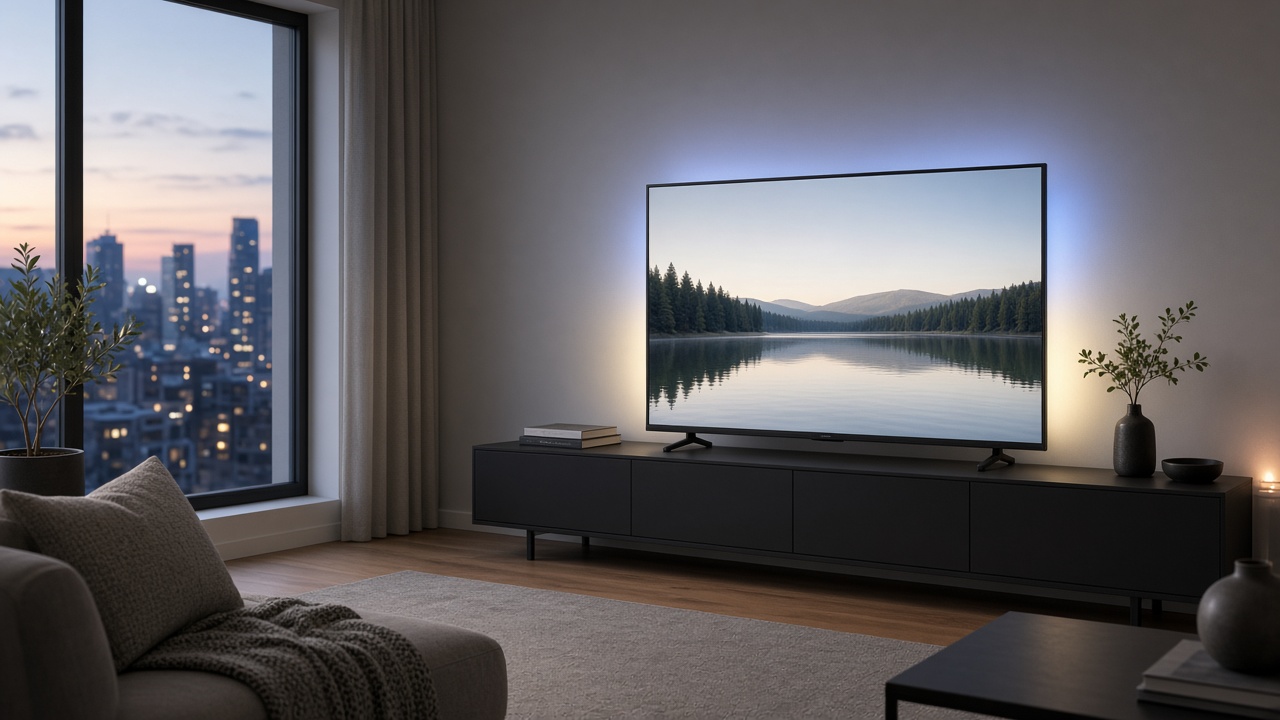
Ambilight on the 55PUS8450 is 3-sided (left / top / right). Leave space from the wall; dark or matte walls work best with wall colour adaptive.
Open Settings → Ambilight (also often via Experience / quick bar). The Follow video family is the usual choice for syncing LEDs to the picture. Series-typical style names include Standard, Natural, Vivid, Game, or Comfort — confirm what appears on your screen; the exact list on this Titan OS build can differ by firmware. Lounge / static modes are also available on Ambilight sets.
If sound works but Ambilight is off: check Lounge / standby Ambilight options, confirm Ambilight is not Off, cold-boot the TV, and do not cover the rear LED strips. This chassis also supports Ambilight Gaming mode and Game Bar 2.0.
Titan OS Freezes: Cold Boot vs Reinstall TV
- Cold boot: Power off, unplug about 2 minutes, boot without extra HDMI devices, then add devices one by one.
- Update software: When online, look under Settings → Update software / General (exact Titan label on this SKU is not verified — use Help if missing).
- Reinstall TV (last resort): Settings → General settings → Reinstall TV erases apps, accounts, network, and channels and runs first-time setup again.
Prefer Ethernet temporarily to rule out Wi‑Fi flakiness while testing apps.
Remote Not Pairing: Bluetooth Easy-Pair Steps
Use fresh AAA batteries and stand within about 1 m with a clear line to the TV.
- Hold Sources / PAIR (or the blue pair key) about 3 seconds until the remote LED shows pairing; or
- Home → Settings → Wireless & networks → Remote control → Pair remote control.
If Bluetooth pair fails, basic power/volume may still work over IR — confirm on-device; the full smart-button map does not run over IR. Self-check: Home → Help → TV diagnose / Self-diagnose.
If the original remote is missing or unreliable, consider a replacement remote with a different look.
When to Stop DIY and Book Service
Contact Philips support or authorised service (no prices here) if you see:
- No picture / no backlight
- A rear Ambilight strip dead on one side after software resets
- No response from panel buttons and remote
- Burning smell or continuous power cycling
For simpler large-button control, see the replacement remote for seniors. Broader options are in Remote Controls.
Frequently Asked Questions (FAQ)
Which HDMI port is eARC on the Philips 55PUS8450?
HDMI 1 only. Other HDMI ports on this model do not support audio return.
Soundbar connected but TV speakers still play?
Set Audio out to HDMI sound system, enable EasyLink, then power-cycle both devices.
Does Ambilight work with the screen off / Lounge mode?
Lounge / standby Ambilight options exist on Ambilight TVs — enable them in the on-screen Ambilight menu rather than assuming always-on.
Will Reinstall TV delete channels and apps?
Yes. Titan OS Reinstall TV wipes apps, accounts, network, and channels and requires first-time setup again.
How do I re-pair the remote?
Within about 1 m, hold Sources/PAIR ~3 s, or use Settings → Wireless & networks → Remote control → Pair remote control.