Common Remote Control Problems and How to Fix Them
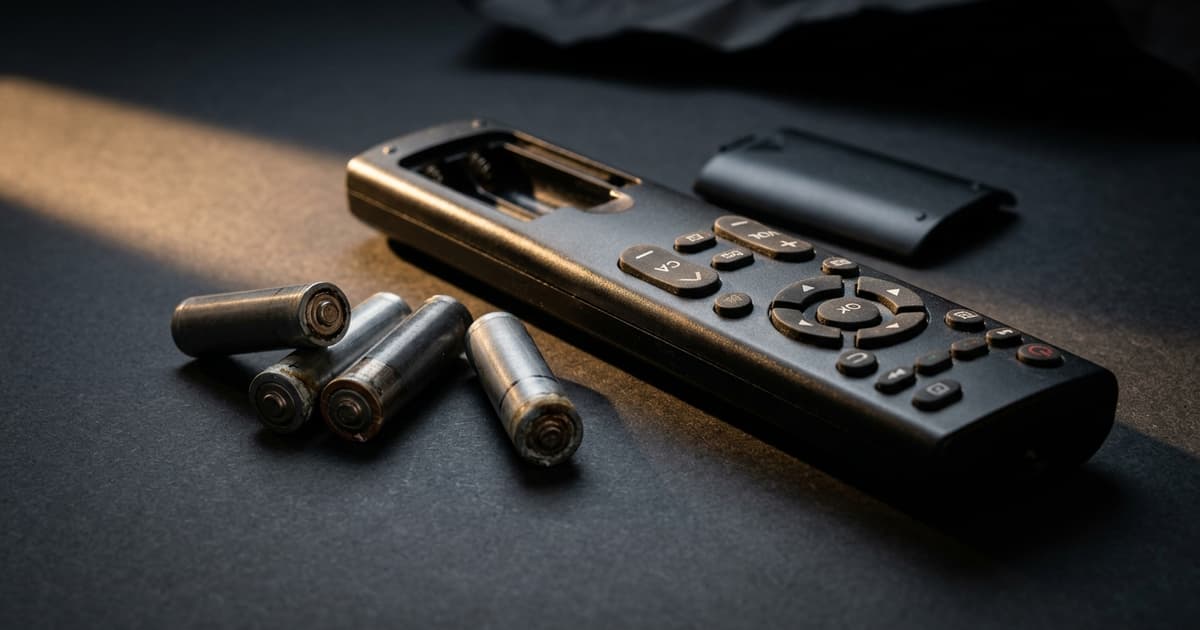
Your remote control stops working at the worst possible moment — right when you want to sit down and relax. The situation is frustrating, but in most cases you do not need a technician or a new remote. Let us walk through the most common problems and their simple solutions.
Problem 1: Remote Does Not Respond at All
Most likely cause: dead batteries.
Solution:
- Replace with fresh batteries (avoid cheap no-name batteries — they drain quickly)
- Make sure batteries are inserted correctly (check the + and - orientation)
- Clean the battery contacts with a dry cloth or pencil eraser if they look corroded
Battery test without a multimeter: Point your phone's front camera (not selfie camera — the regular one) at the remote's IR emitter and press buttons. You should see a purple or white light blinking — this confirms the remote is transmitting a signal.
Problem 2: Remote Works Intermittently or Only at Close Range
Causes: dirty IR sensor on the TV or remote, weak batteries, obstruction between remote and TV, interference from direct sunlight or other IR sources.
Solutions:
- Clean the IR sensor on both the remote and the TV with a soft cloth
- Remove objects (vases, decorations) placed in front of the TV
- Close curtains or blinds if direct sunlight hits the TV
- Replace the batteries
Problem 3: Buttons Are Sluggish or Require Multiple Presses
Cause: dirty or worn rubber contact pads.
Cleaning the remote:
- Remove the batteries
- Open the remote (usually small screws on the back)
- Clean the rubber membrane and PCB board with cotton swabs dipped in isopropyl alcohol
- Let dry completely (at least 30 minutes)
- Reassemble and insert fresh batteries
Alternative: specialized electrical contact cleaner spray from any electronics store.
Problem 4: Only Some Buttons Work
Cause: damaged rubber pad under specific buttons, or damaged PCB traces.
Fix: Apply graphite from a pencil to the underside of the rubber pad for the unresponsive button. Graphite conducts electricity and restores the contact. If the problem persists, a replacement remote may be the best option.
Problem 5: Remote Got Wet
Immediate steps:
- Remove batteries immediately
- Wipe off external moisture
- Open the remote and dry the interior
- Leave in a dry place for 24–48 hours (a bag of uncooked rice or silica gel packets speeds this up)
- Only then insert fresh batteries and test
Never insert batteries into a wet remote — you risk a short circuit and permanent damage.
Problem 6: Remote Is Sending Wrong Commands
Cause: the remote was accidentally switched to a different mode (on universal remotes) or programming was reset.
Solution: For original remotes, remove batteries for 30 seconds then reinsert. For universal remotes, check the mode selector (TV, DVD, AUX buttons) and reprogram if needed.
When to Just Buy a New Remote
Sometimes a repair does not make sense. Buy a new remote if:
- The remote is physically very damaged (cracked housing, broken buttons)
- Internal electronics are corroded after water damage
- The cost of repair exceeds the cost of a replacement
Conclusion
Dead batteries and dirty contacts cause 80% of remote control failures. Try these steps before spending money on a new remote. And when you do need a replacement, devicero.com offers original and compatible models for all major brands.